How to Maintain a Robotic Vacuum Cleaner for Long Life
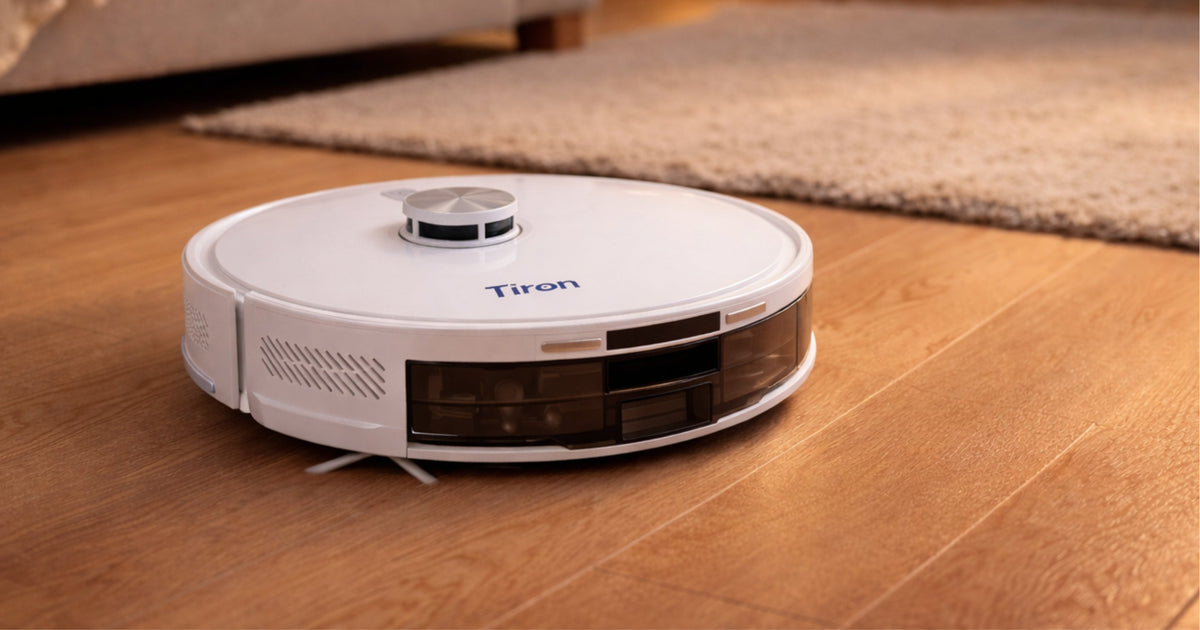
Robotic vacuum cleaners are designed to make home cleaning effortless. However, like any smart appliance, regular maintenance is essential to ensure strong suction performance, accurate navigation, and long product life.
Proper maintenance not only improves cleaning efficiency but also prevents technical issues and keeps the machine working smoothly for years.
Follow these 12 detailed maintenance steps to keep your robotic vacuum cleaner in the best condition.
1. Clean the HEPA Filter Every 2–3 Days
The HEPA filter captures fine dust particles, allergens, and microscopic debris. Over time, dust accumulates in the filter and blocks airflow, reducing suction power.
Remove the filter carefully and gently tap it to remove dust. If the filter is washable, rinse it with clean water and allow it to dry completely before placing it back. Never install a wet filter inside the robot, as moisture can damage internal components.
Regular cleaning ensures strong suction power and maintains clean air quality inside your home.
2. Empty and Clean the Dust Box Frequently
The dust box collects dirt, debris, hair, and fine dust during each cleaning cycle. If the dust container becomes full, the robot may lose suction power and cleaning efficiency may decrease.
Remove the dust box and empty it after every 1–2 cleaning sessions. Wipe the inside of the container to remove fine dust particles. Keeping the dust box clean prevents odor buildup and ensures consistent performance.
3. Clean the Main Roller Brush Properly
The main roller brush rotates continuously to lift dust and dirt from the floor. Hair, threads, and fibers often get tangled around the roller brush, which can reduce rotation speed and cleaning efficiency.
Remove the brush and gently cut or pull away tangled hair and debris. Clean both ends of the brush to ensure smooth rotation. A clean roller brush helps the robot pick up dust more effectively from tiles, marble, or wooden floors.
4. Clean the Side Brush for Better Corner Cleaning
Side brushes are designed to sweep dust from edges and corners into the suction path. Dust and hair buildup in side brushes can affect cleaning performance, especially along walls and furniture edges.
Remove the side brush and clean trapped hair or dirt regularly. Ensuring the side brush is clean helps the robot collect dust efficiently from corners and difficult areas.
5. Wash the Mop Cloth Daily and Dry Before Use
If your robotic vacuum includes a mopping function, the mop cloth should be washed after each use. Dirty mop cloth can spread dust instead of cleaning the floor properly.
Wash the cloth with clean water and allow it to dry completely before using it again. Using a clean mop cloth ensures hygienic floor cleaning and better stain removal.
6. Clean the LiDAR Sensor for Accurate Navigation
LiDAR sensors help the robotic vacuum map your home and navigate intelligently. Dust accumulation on the sensor can cause navigation errors or inefficient cleaning patterns.
Use a soft microfiber cloth to gently wipe the LiDAR sensor regularly. Do not use water or chemical cleaners on sensors. Keeping the sensor clean ensures precise mapping and smooth movement around furniture.
7. Clean the Base Station Suction Port
In models with auto-empty base stations, dust is transferred automatically from the robot to the base station. Dust buildup in the suction port may reduce automatic emptying efficiency.
Inspect the suction port regularly and remove dust or debris if present. Clean airflow pathways ensure smooth automatic dust collection.
8. Clean the Dust Box Suction Port
The suction opening inside the robot connects airflow from the motor to the dust container. If this area becomes blocked, suction performance may decrease.
Check the suction opening periodically and remove any trapped dust or debris carefully. Proper airflow ensures strong cleaning performance.
9. Clean the Wheels and Bottom Area
Hair, threads, and dirt may get wrapped around wheels and bottom components of the robot. Dirty wheels may affect movement and reduce cleaning efficiency.
Turn the robot upside down and gently remove debris from the wheels and bottom parts. Clean wheels ensure smooth movement across different floor surfaces.
10. Clean the Device Exhaust Area
The exhaust system releases air from the vacuum motor during operation. Dust buildup in the exhaust area may affect airflow and cause overheating.
Wipe the exhaust vents using a soft cloth to maintain proper ventilation. Clean airflow helps maintain motor performance and extends machine life.
11. Clean the Base Station Exhaust Area
The base station also contains airflow components that help transfer dust efficiently. Over time, dust particles may accumulate in the exhaust vents.
Check and clean the base station exhaust periodically to ensure smooth air circulation and proper functioning of the auto-empty system.
12. Keep Charging Dock Area Clean and Obstacle-Free
The robot automatically returns to the charging dock when battery power is low. Obstacles near the dock may prevent proper docking and charging.
Ensure the charging area is clean and free from objects. Place the dock against a wall with enough open space on both sides. Proper placement helps the robot charge without interruption.
Recommended Maintenance Schedule
Daily:
• Empty dust box
• Wash mop cloth
• Quick brush inspection
Every 2–3 days:
• Clean HEPA filter
• Check suction ports
Weekly:
• Clean roller brush
• Clean side brush
• Wipe sensors
Monthly:
• Clean wheels
• Clean exhaust areas
• Inspect base station
Conclusion
Regular maintenance ensures your robotic vacuum cleaner performs efficiently for a long time. Simple cleaning routines help maintain strong suction power, accurate navigation, and hygienic floor cleaning.
TIRON robotic vacuum cleaners are designed for reliable and smart performance. With proper care, your device will continue to provide effortless cleaning every day.
Consistent maintenance leads to consistent performance.
